
Design a garden by asking: seven styles and twelve features
Ask the agent to landscape the garden and it plants it, paves it and fences it, in a style you choose. The styles, the features, and how to change the result.
· 1 min read
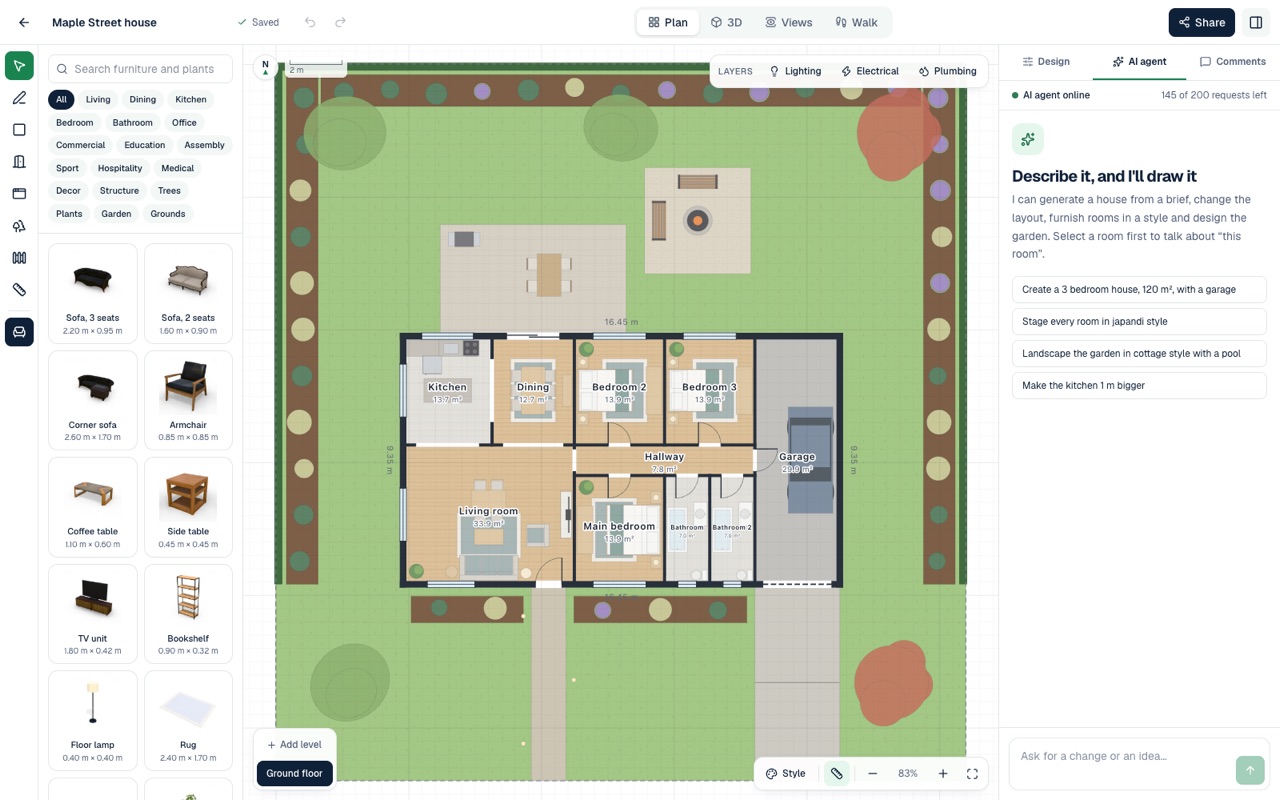
A home is not finished at its walls. Every AI Plan Creator design has a garden, and the AI agent can redesign it from a sentence.
Seven garden styles
Modern, cottage, zen, mediterranean, tropical, family and native. Each sets the planting, the materials and the layout: a tropical garden gets layered palms and broad-leaf planting, a zen garden gravel and stone, a family garden lawn and room to play.
Twelve features
Ask for any of these by name: a patio, a pool, vegetables, a firepit, a pergola, a play area, a driveway, a path, a fountain, a fence, trees and a lawn.
How to ask
Open the AI agent panel in the editor and say what you want, for example:
- "Landscape the garden in a tropical style."
- "Add a pool and a timber deck beside it."
- "Give us a vegetable garden and a firepit."
The agent tells you what it did. In one design it answered that it had relandscaped the whole garden in a tropical style, with a timber deck and pergola beside the pool, layered beds of palms and broad-leaf planting, a lawn, a front path and driveway, and a timber fence for privacy.
It stays yours
Nothing the agent makes is locked. Every plant, path and paver is an object you can move, change or remove, and the catalogue has more trees and plants to add by hand. Plants are scans of real ones, so the garden looks right in the 3D view by day and at night.