AI Plan Creator

Gardens and landscaping

AI garden design for the whole plot, in 2D and 3D

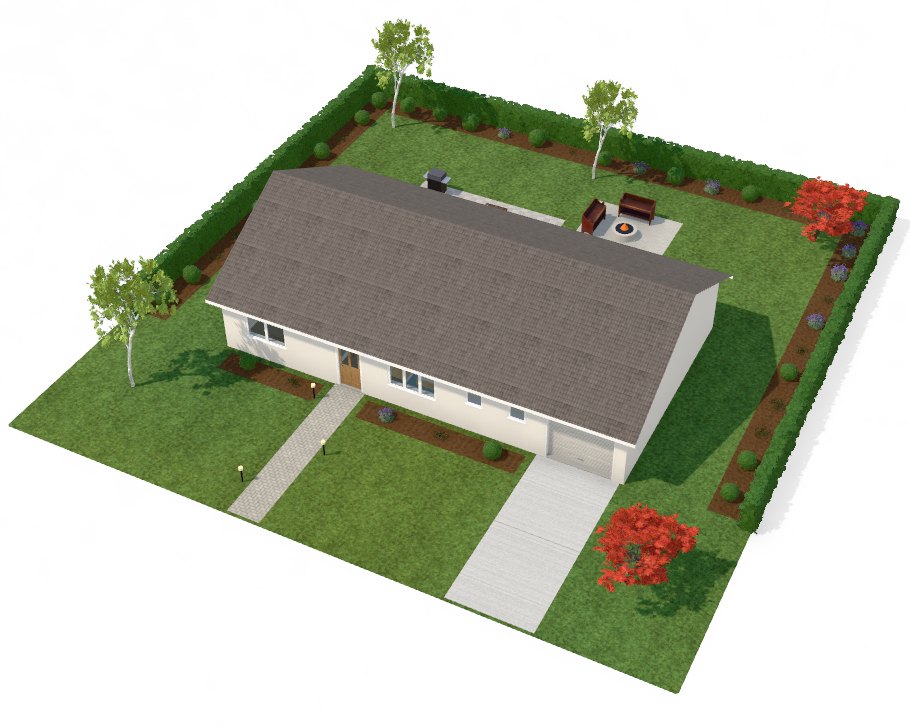
Pick a garden style and AI Plan Creator lays out the plot round your house: the lawn, a path to the front door, the driveway, a patio by the garden door, planting beds along the boundary, trees, and features such as a pool, a fire pit or a vegetable garden. All of it stays editable, on the plan and in 3D.

  • Free to start
  • No card needed
  • Nothing to install
A house in 3D in its landscaped garden: lawns, a paved path to the front door, a driveway, planting beds and hedges along the boundary, trees and a patio with a fire pit

How it works

4 steps from an idea to a design

  1. 1

    Set the plot

    Give the plot's width and depth in metres, and the house sits on it as it is drawn.

  2. 2

    Pick a style

    Choose one of 8 garden styles, from a modern garden to a desert garden with no lawn.

  3. 3

    Landscape it

    Press Landscape the garden, or ask the AI agent and name features to add or leave out.

  4. 4

    Refine it

    Draw lawns, paving and beds yourself, put up fences and hedges, and place plants, trees and garden furniture.

Eight garden styles

Each style decides the ground, the paving, the boundary, the trees and the planting, and which features come as standard. The layout is worked out to fit your plot and the house on it, so the path reaches the front door and nothing is planted where the building stands.

  • Modern: Clean lines: clipped boxwood, ornamental grasses and birch around a paved terrace.
  • Cottage: Dense, informal borders of flowers and lavender with fruit trees and a kitchen garden.
  • Zen: Raked gravel, boulders, bamboo screening and a Japanese maple as the focal point.
  • Mediterranean: Low-water planting: olive trees, lavender and gravel with a shaded pergola terrace.
  • Tropical: Lush layered foliage, palms and a timber deck beside the pool.
  • Family: A big open lawn for play, a shade tree, a deck for meals and raised vegetable beds.
  • Native: Drought-tolerant grasses and shrubs with gravel mulch and a small lawn.
  • Desert: A dry garden of decomposed granite and rock mulch: agave, yucca, barrel and columnar cacti and grasses in drifts among boulders, tree aloes and olives, a low rendered wall and no lawn.
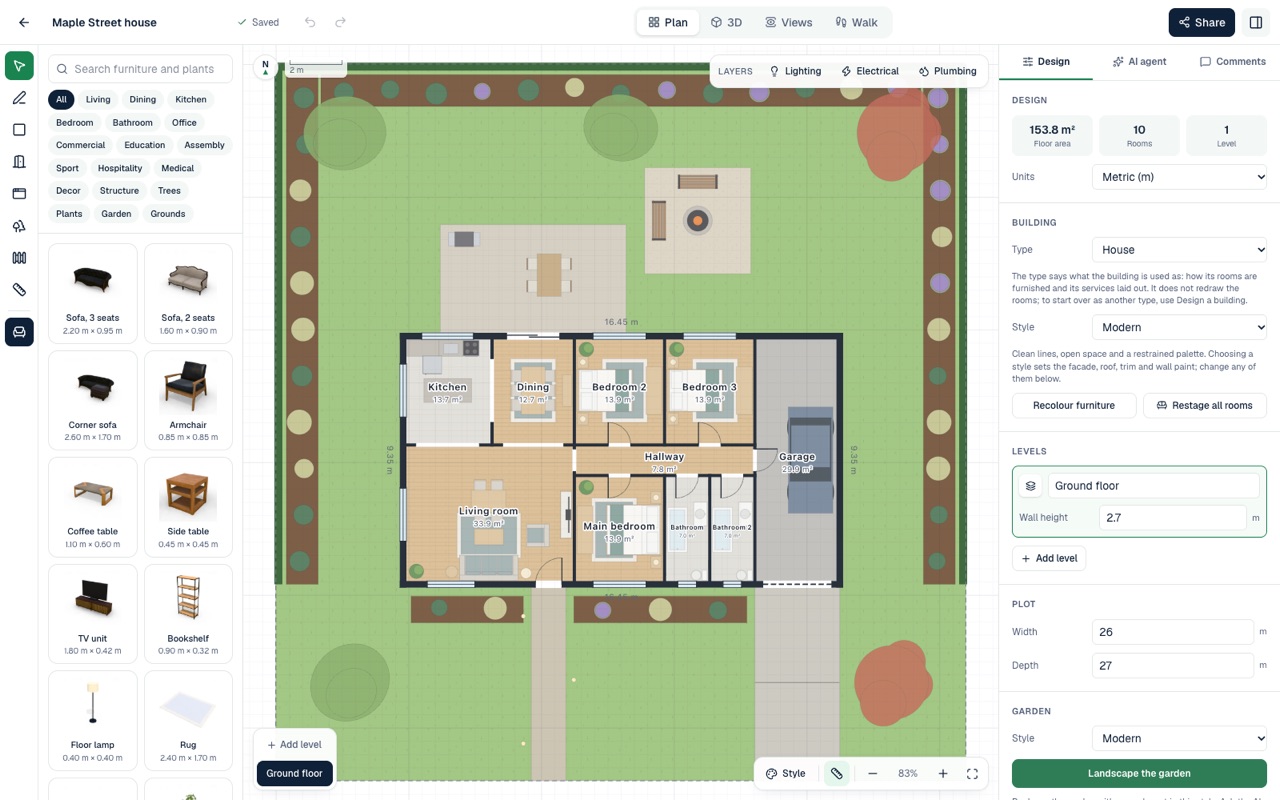
A floor plan with its garden laid out round the house: lawn, planting beds along the boundary, trees, a patio with a table and a fire pit, and the garden style and Landscape the garden button beside it

Features to add or leave out

Twelve features can be asked for or left out: a patio, a pool, a vegetable garden, a fire pit, a pergola, a play area, a driveway, a path, a fountain, a fence, trees and a lawn. Press Landscape the garden to lay out a style as it comes, without using an AI request, or ask the agent for “a family garden with a pool and no swing set”, and it adds and leaves out features to suit.

On a site that already has grounds of its own, such as a car park, a court or a road, a new garden is planted round them and never over them.


Draw the garden yourself

The garden surface tool lays lawn, patio, deck, path, driveway, pool, planting bed, gravel or sand where you want it, and the fence tool puts up a timber fence, a hedge, a wall or a picket fence along a boundary. From the catalogue, drop in plants and trees, an outdoor dining set, sun loungers, a barbecue, a pergola, a garden shed, path lights or a swing set, and move them wherever you like.

See the garden in 3D

The garden is part of the same design as the house, so it is in the 3D model, on the site plan and in the PDF set. Move the time of day to see it from morning light to dusk and night, and show the plot on its own or in a street of houses. The 3D sun lights the street side of the plot whichever way your section faces, so it is not a study of your own sun and shade.

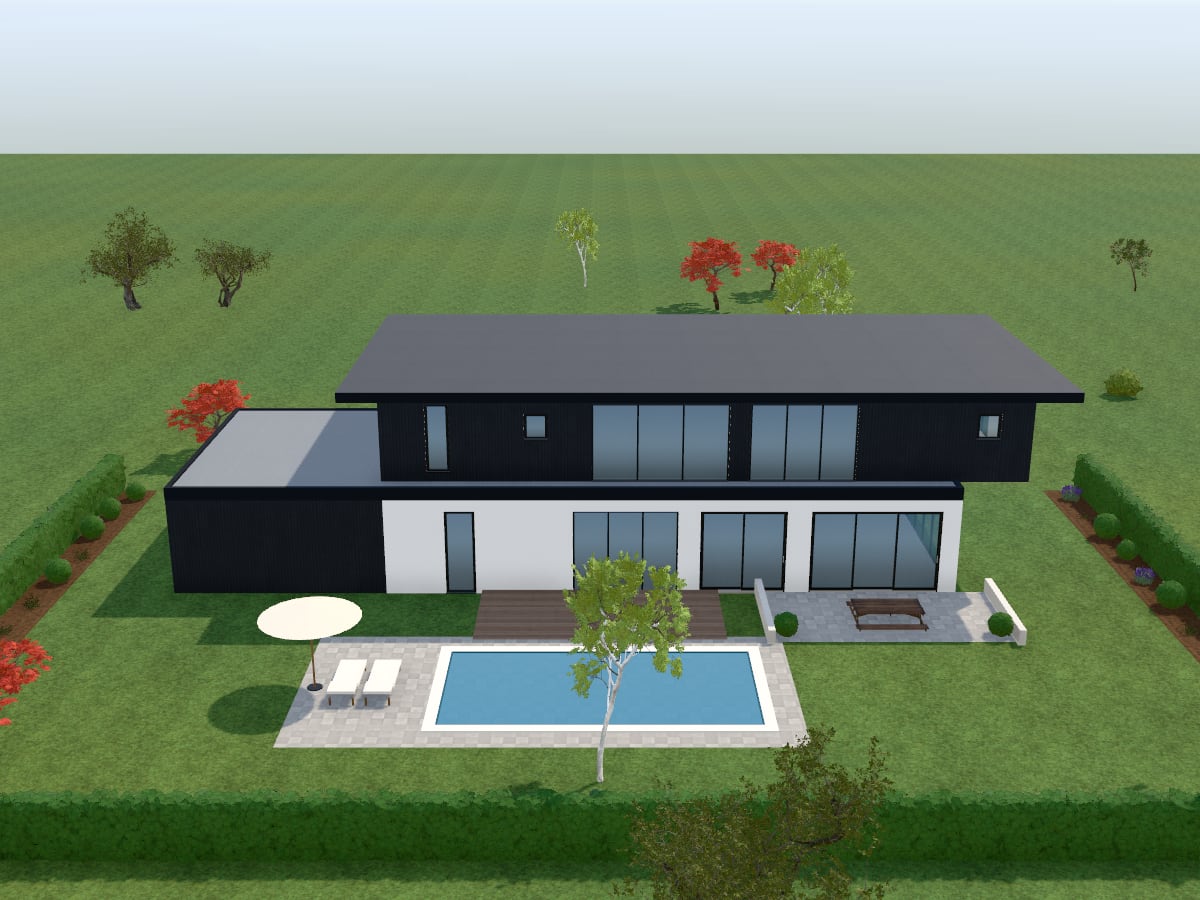
The garden side of a house: a pool with sun loungers and a parasol on paving, a timber deck, a terrace with a table, lawn and clipped hedges

AI garden design from a photo

To redesign a garden you already have, upload a photo of it to the Photo studio and choose a garden style. The AI redesigns the planting, lawn, paving, paths and outdoor furniture, and keeps the house, the fences, the boundaries and the camera angle as they are. Each picture uses one of your plan's AI images.

Questions and answers

Good to know

For anything else, see the questions on the home page or send us a message.

Can AI design my garden?

Yes. Choose one of eight garden styles and AI Plan Creator lays out the whole plot round your house: lawn, paths, driveway, patio, planting beds, trees and features. Add or leave out features by asking the AI agent, or change anything by hand.

Can AI design a garden from a photo?

Yes. Upload a photo of your garden to the Photo studio and pick a garden style. The AI redesigns the planting, lawn, paving, paths and outdoor furniture, and keeps the house, fences and boundaries. It uses one of your plan's AI images.

Is there a free garden design app?

AI Plan Creator is free to start and runs in your browser. The Landscape the garden button lays out a whole garden without using an AI request, and the Free plan costs nothing, needs no card and includes every design tool of the editor, drawing lawns, paving, beds, fences and hedges among them.

Will the plants suit my climate?

The styles range from a lush tropical garden to a dry desert garden with no lawn, and you can ask the AI agent which plants suit your climate. The plants in the design show the look: check your final choices with a local garden centre or landscaper.

Can I use the garden plan to build it?

It is a plan for exploring ideas, not a construction drawing. Use it to settle the layout you want, then take it to a landscape designer or contractor to work out the levels, drainage and details needed to build it.

Landscape your plot

Free to start, no card needed. Or begin from a ready-made design in the store and change anything you like.