AI Plan Creator

House design

AI house design, from a one-line brief to a whole home

Design your own house online. Describe it and the AI drafts it, or pick a building type, one of 25 styles and a size, and AI Plan Creator designs the whole home: the floor plan, the facade and roof, the furniture, the garden, and the lighting, electrical and plumbing layouts. Then change any of it, by hand or by asking the AI agent.

Try:
  • Free to start
  • No card needed
  • Nothing to install
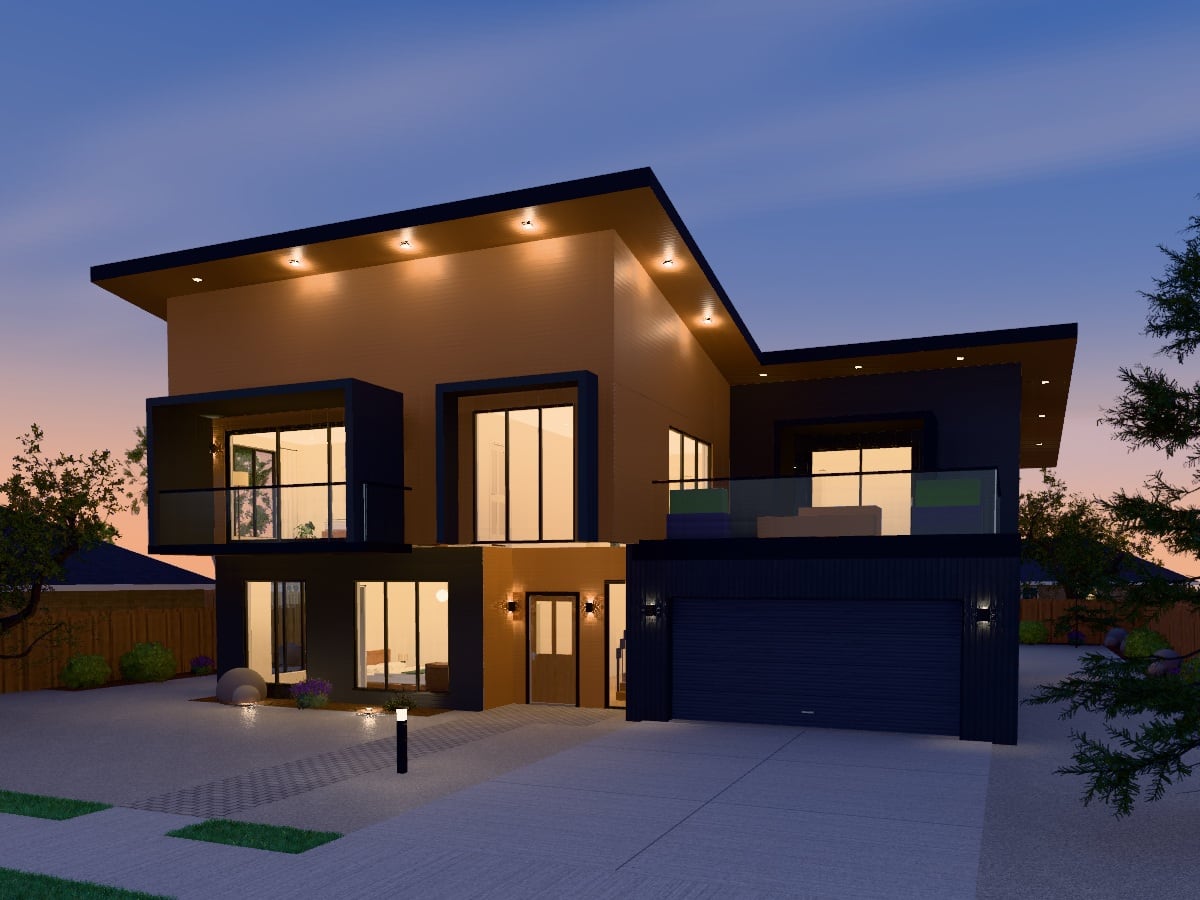
A two-storey contemporary house at dusk, with framed upper windows, a glass balcony, a double garage and lights under its deep roof edges, traced from its 3D model

How it works

4 steps from an idea to a design

  1. 1

    Start your way

    Describe the home in a sentence, pick a building type, style and size by their pictures, or open a finished design from the store.

  2. 2

    Get a whole design

    It opens in the editor with its rooms, doors and windows, its outside and roof, furniture and garden, ready to see in 3D.

  3. 3

    Make it yours

    Change the rooms, the materials, the roof and the features by hand, or ask the AI agent in plain words.

  4. 4

    Show it to someone

    Walk through it, make a picture or a film of it, export the drawings, or, with Premium, send a link.

Design a house online, your way

There are four ways to begin. Describe the home in plain words and the AI drafts it. Pick and choose: a building type, a style and a size, each shown by its picture, with the number of bedrooms and storeys, a garage and features such as a deck, a porch or a pool. Start from one of the store's ready-made designs, or upload a picture of a plan you already have.

The types run from a house, a bungalow or a villa to a townhouse, a terrace of homes, a duplex, a block of apartments, a tiny house, a granny flat, an eco house and an extension to an existing house, with shops, offices, cafés, schools and halls besides. What you pick opens furnished and landscaped, with lighting, electrical and plumbing laid out, and every wall can be moved afterwards.

The outside of the house

Choose the facade: render, brick, stone, timber cladding, vertical timber, concrete, metal panel or a living green wall, with a contrasting base if you like. Choose plain windows, glazing bars or shutters, and a roof that is flat, gable, hip, shed, mansard, butterfly, curved or sawtooth, covered in tile, metal, shingle, membrane or planting.

Add a porch, a balcony, a chimney, dormers, a bay window, a carport, a pergola, a deck, a pool, solar panels or a veranda. Or restyle the whole outside at once in one of the 25 design styles, from Modern Farmhouse and Japandi to New Zealand and Australian Contemporary. The Architectural look adds glass from floor to ceiling, two or three materials and deep roof edges.


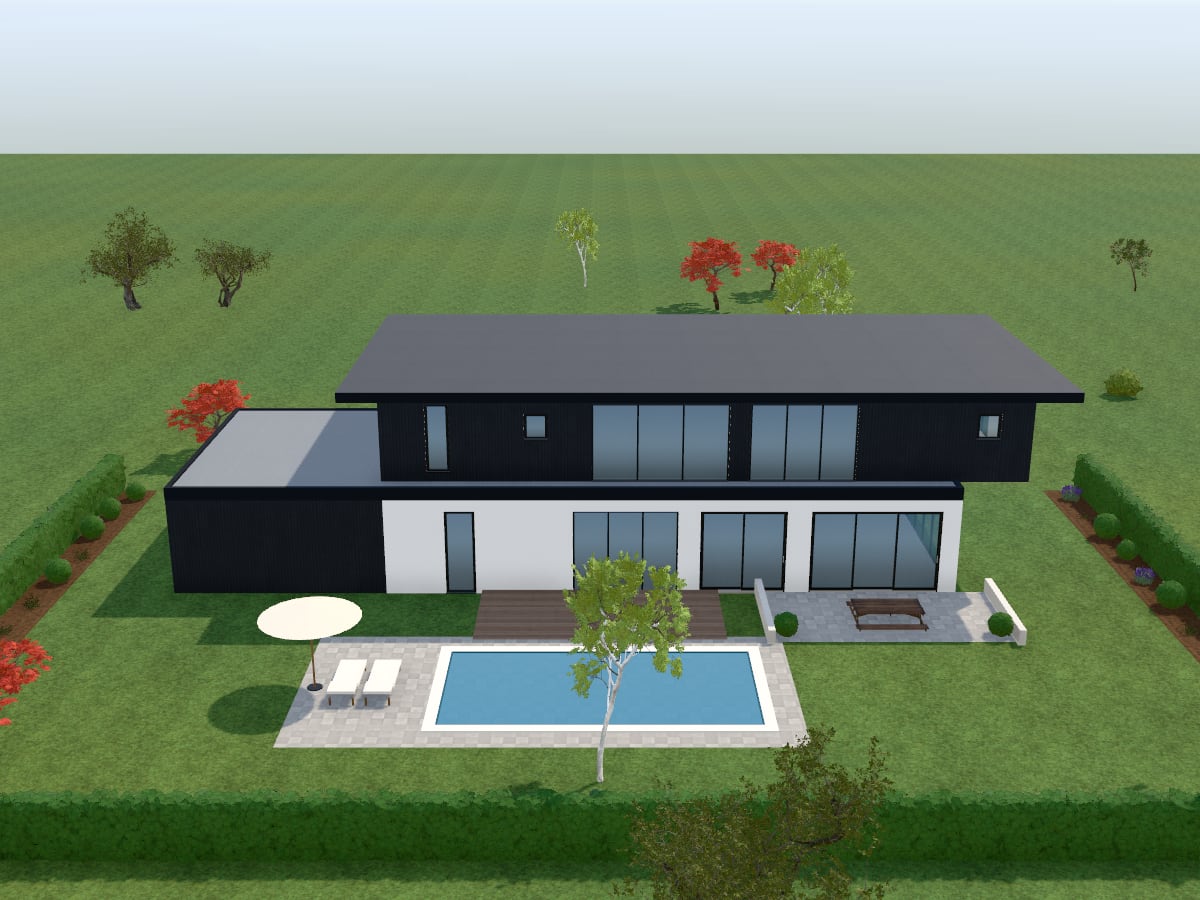
The garden side of a two-storey house of white render with a dark upper floor, opening onto a timber deck, a paved terrace and a pool

Ask the AI agent for changes

The agent works on your actual design with the same tools you use. Ask it to “make the exterior mediterranean and add a porch”, “add a floor with 2 bedrooms and a lounge”, “stage the living room in art deco style on a premium budget” or “landscape the garden in cottage style with a pool”, and watch the plan change. It says what it changed and anything it assumed, and everything it makes stays editable.

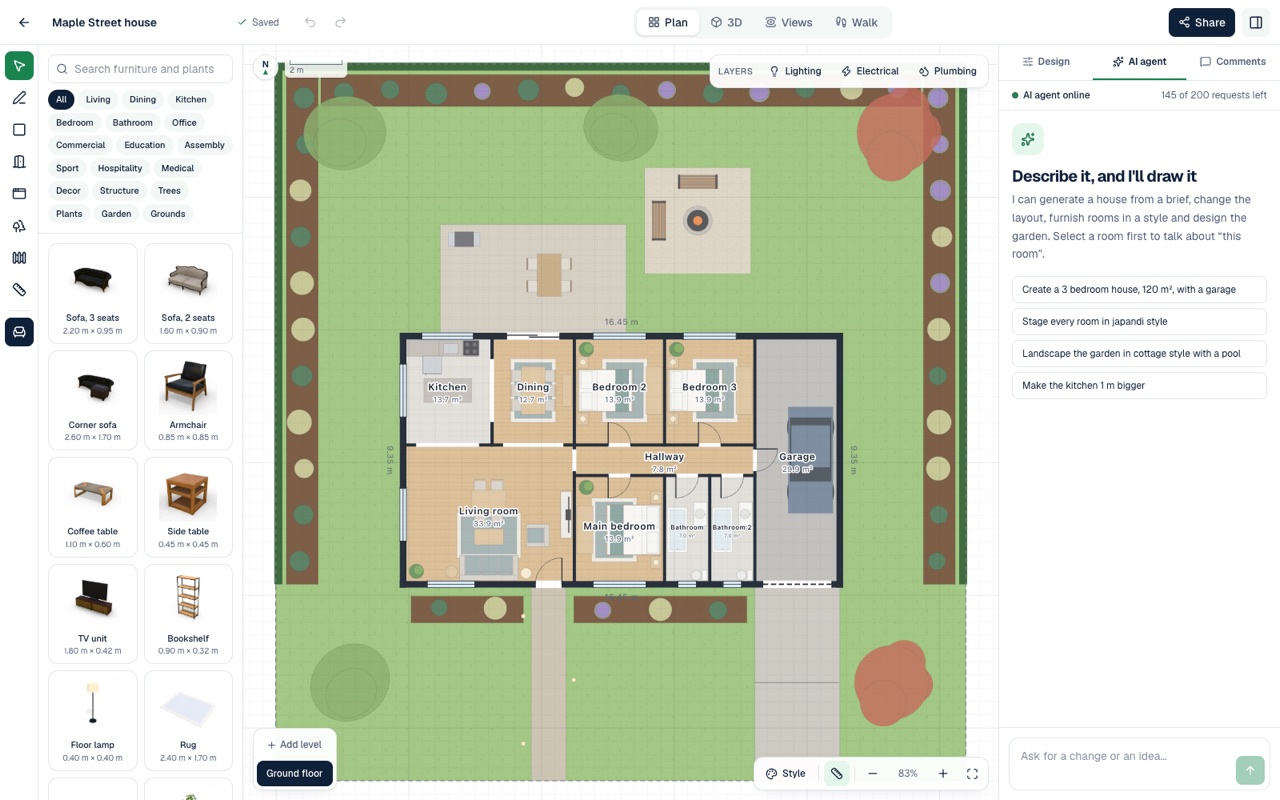
The AI agent panel beside a floor plan, with suggested requests to create a house, stage every room, landscape the garden and enlarge the kitchen

See the house before anyone builds it

The floor plan, the 3D model, the elevations and the walkthrough all come from one design, so a change in one shows in all of them. Turn the house round in 3D at any time of day, set it in a street of houses, a garden or by the sea, then walk through it at eye level.

For a picture to show people, trace a Photo of the model with real light in your browser, or hand a view to the AI to make it photoreal. In the Photo studio you can also upload a photo of your own house and have the AI restyle its front: cladding, colours, roof finish, entrance and planting.

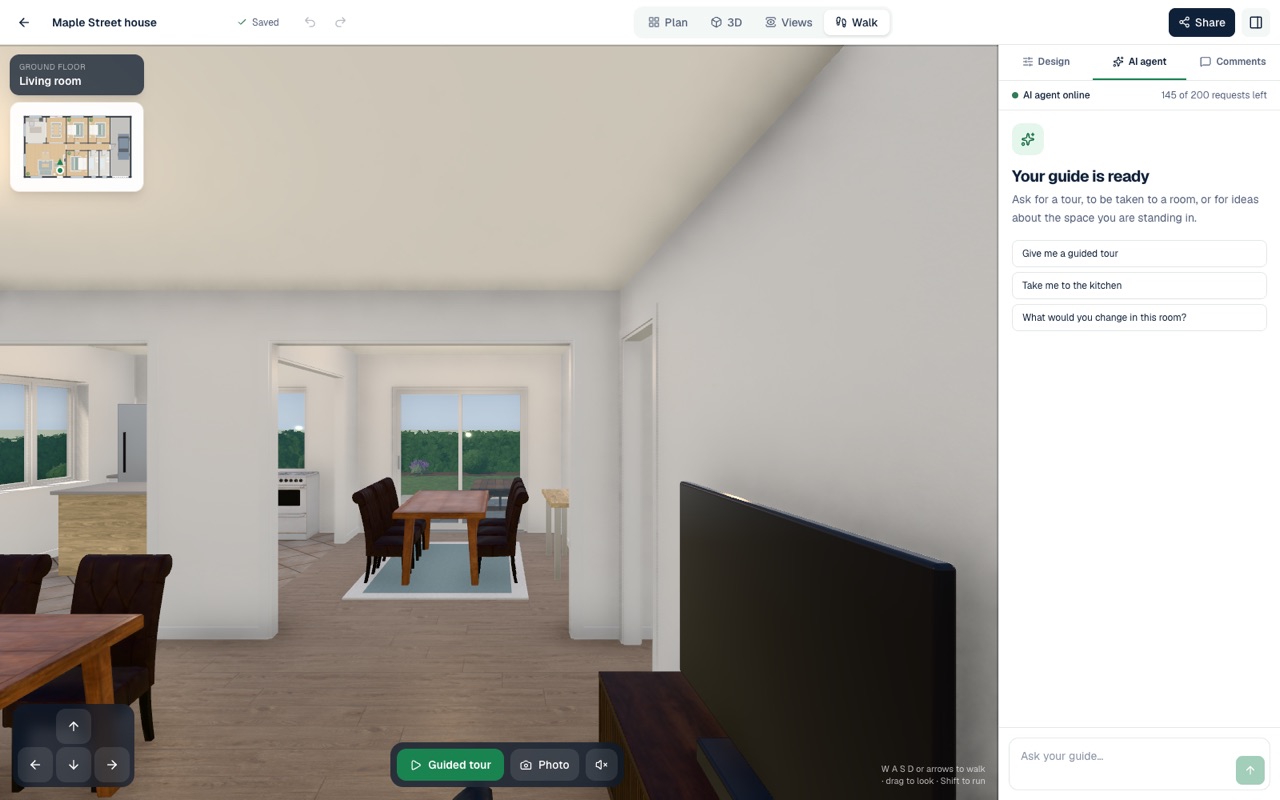
Walking through the living room of a design at eye level, with the AI guide ready to give a tour

Questions and answers

Good to know

For anything else, see the questions on the home page or send us a message.

Can AI design a house?

Yes, as a starting point you can change. Describe a home, or pick a type, a style and a size, and AI Plan Creator designs the floor plan, the outside, the furniture and the garden. You then change any of it by hand or by asking the AI agent. The drawings are for design exploration and are not construction documents.

Is there a free AI house design app?

AI Plan Creator is free to start. The Free plan costs nothing, needs no card and includes every design tool of the editor, with a daily allowance of AI requests. Designing a house by picking a type, a style and a size uses no AI requests at all. Share links, embed code and the store's included designs come with Premium, and CAD files (DXF export and plan import) with Pro.

Can I design a house online without CAD?

Yes. AI Plan Creator runs in a web browser with nothing to install, and needs no CAD training. Draw walls and rooms to real dimensions, or let the AI draft the plan and change it by dragging walls and furniture. For anyone who does work in CAD, Pro exports the floor plans as a DXF file.

Can AI design the exterior of my house?

Yes. Choose the facade, windows, roof and features, restyle the outside in any of the 25 styles, or ask the AI agent. For a house that already stands, upload a photo of its front to the Photo studio and the AI restyles the cladding, colours, roof finish, entrance and planting, keeping its shape and windows.

Can I build from an AI house design?

Not as it is. The drawings are for design exploration and are not construction documents. Use the design to settle what you want, then take it to a designer or architect for the drawings you build from and apply for a building consent with.

Design tools

More of what AI Plan Creator does

Design your house

Free to start, no card needed. Or begin from a ready-made design in the store and change anything you like.